
Another Huge Release: Full Width Layout + Another Big Announcement Coming Very Soon!
Updated October 24, 2012
Do you use iTunes everyday? Ever use Spotify? Then you’re going to love this latest release that’s now available to everyone. Introducing our new “Liquid Layout”, a full-screen version of your SourceAudio site that stretches from edge to edge in your browser and optimizes for every user’s resolution. Here’s what’s new in this release and here’s how it all works:
1. New “Liquid” full-width site layout.
We are extremely proud to offer a new, full-browser-width experience for all sites on the network – think iTunes on this one. Users with nice, big widescreen monitors will be able to view your site in a full-screen mode that adapts to and optimizes for all screen resolutions. To enable the new “liquid layout” on your site, simply to go your Appearance editor under Edit Site Settings in your Admin Panel and you can enable this new option as your default site view for all users. To preview your site in the new liquid layout mode, go to your main tracks page and hit “shift + alt + L” on your keyboard. You can toggle between the two views with this keyboard command to determine if you’d like to adopt this new optimized layout across your site.
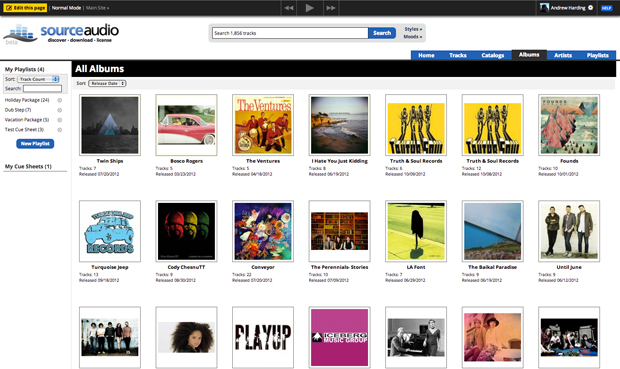
SourceAudio’s new “Liquid” full-width browser layout
2. Drag & drop playlist and cue sheet management.
You’ll notice that as you navigate your site and scroll down the page your playlists module to the left will never scroll out of view. We did this in order to support our new drag & drop playlist and cue sheet management feature. You can now click on tracks and drag them into your playlists and cue sheets. You can also select more than one track at a time and drag batches of tracks at once into playlists. Albums work in the same way as well. This is really going to speed up playlist & cue sheet management and we’re excited to make it available to you now! Check out how it works in the short video below (go full screen, it’s way better than viewing this in its native size).
3. Multiple track selection & download capability.
Tracks can now be selected by clicking on any empty space around the text in a single line listing. You can also select more than one track at a time by holding down ‘shift’ or ‘ctrl’ (PC)/’command’ (Mac). Once you start selecting tracks you’ll notice a “Download Selected” button appear on the bottom left. This new feature allows you and your users to quickly select and download multiple tracks at once without having to create a playlist or download one at a time. You can also see this feature in action in the video above.
Stay tuned…there are some more very big announcements coming right around the corner! The first one is called “Sonic Search” and it’s going to be awesome!!

How Music For Sport runs a 180-album catalog across territories
Music For Sport has supplied music to every Summer and Winter Olympic Games since 1992. More than three decades and 180-plus albums later, the UK company's job hasn't changed: put high-quality production music in front of broadcas...[ READ MORE ]


YouTube Shorts monetization is now live. Here's what else is new in June.
June was a build-heavy month across our licensing, YouTube, and Collect businesses. We launched a major upgrade to our music-monitoring service, invested in faster and more accurate royalty processing, moved several enterprise integrations...[ READ MORE ]
The operational side of maximizing catalog revenue
One of the clearest indicators of long-term catalog health is whether there’s a real system of record behind it. By that we mean: a single place where the rest of the business can quickly confirm what a work is, who owns it, what iden...[ READ MORE ]

May at a Glance: A Product Update, the Brief Inbox, and a New AI Podcast
The Brief Inbox didn't slow down in May, and neither did we. Column customization shipped, and Drew made an appearance on Morning Brew's new AI podcast to talk music and AI. Drew on The Intelligence Shift Drew Silverstein, our Presid...[ READ MORE ]

Why Brands Are Moving Toward Aggregator-Driven Music Licensing
The way music gets licensed for advertising is changing at the infrastructure level. More brands and agencies are moving toward aggregator-driven ecosystems, where platforms like SourceAudio plug directly into proprietary music discover...[ READ MORE ]

April Recap: Luminate Summit, Blog Post, and What's Coming Through the Brief Inbox
Andrew Talks AI Training Data at Luminate Summit On April 15, SourceAudio CEO and co-founder Andrew Harding joined Doug Shapiro, Dave Davis, Dustin Blank, and Matthew Adell on "The AI Training Data Economy" panel at the Luminate Dat...[ READ MORE ]
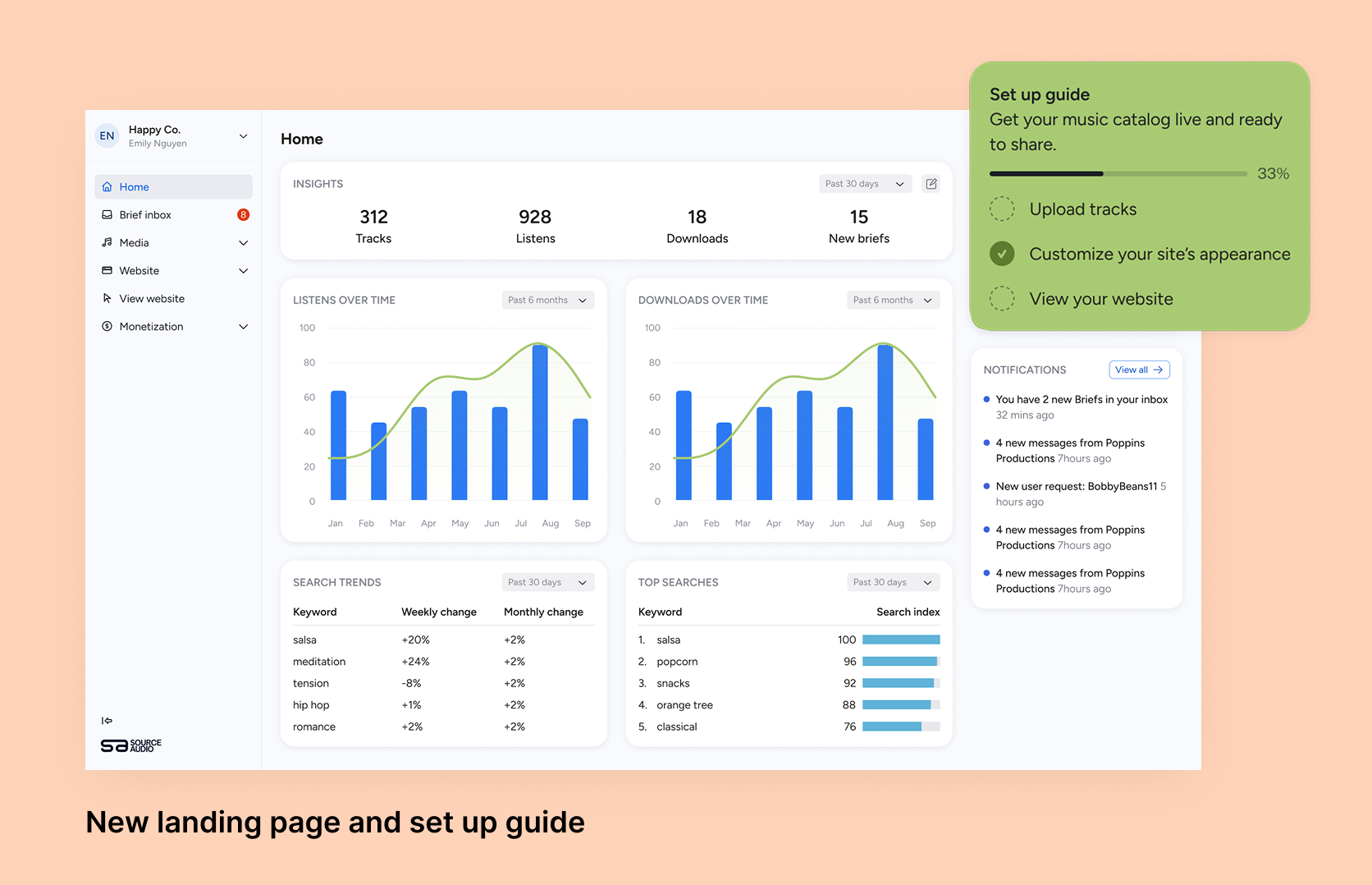
Fixing Foundations: How I restructured SourceAudio to be more intuitive for admins, new and old
For over a decade, SourceAudio has been adding features, expanding its reach, and growing alongside the music licensing industry. While our toolset has proven valuable to our client base, it’s important to acknowledge weaknesses that hav...[ READ MORE ]