
New Features Released: Total Genre and Filter Control, New Featured Look
Updated October 16, 2011
We’re very excited to announce that no longer do you have to send over a request for us to update any of the items or values in your track filter modules on the left side of all track list pages. We just finished a tool that will give you total control over that. To sum it up as simply as possible, you can filter by any field in your metadata and all underlying values will update automatically when you make any metadata or naming changes. Here’s how it works:
The Fields Editor
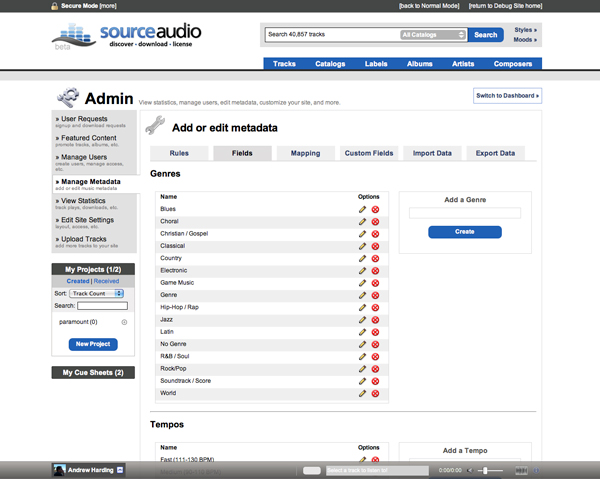
The new Fields Editor gives you total control over what's displayed in your filters
To access the Fields Editor, go to Manage Metadata > Fields. This page will display each filter set you have on your site. In this editor you can change the name/spelling of your filter values, add new values, or remove existing values. On the front-end when you’re editing these values on tracks you’ll be selecting from a drop-down that contains all of these values. With the drop-down you can assign multiple genres/categories to each track which solves a constraint some of our library partners had in the past. So, no longer do you have to come to us when you want a genre renamed, removed or added!
Controlling how your filters display
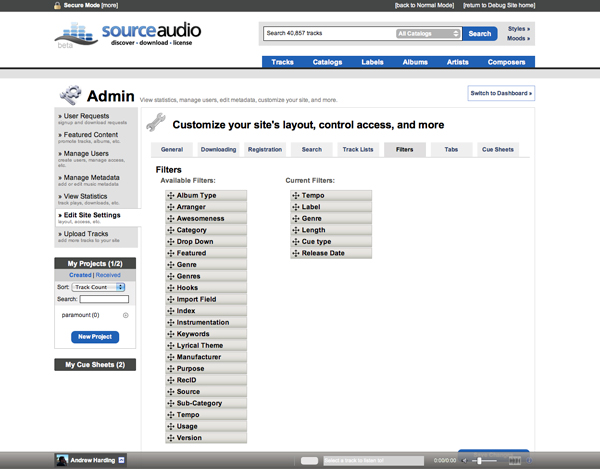
Drag and drop to re-order your filter sets
This one is really cool. Go to Edit Site Settings > Filters to access this new tool. On the left you’ll see nodes that represent every metadata field on your site. On the right you’ll see your current filters. To make changes to the order in which they’re displayed or to add/remove items from your filters sets, just drag and drop. It’s that easy. Also, you can nudge sub-categories for nodes over to the right, nesting it under its primary category. So for those of you who have categories and sub-categories, this little feature is for you. Now the power is in your hands to control the specific order in which you want to display your filters from top to bottom!
For our aggregators – the genre mapping tool
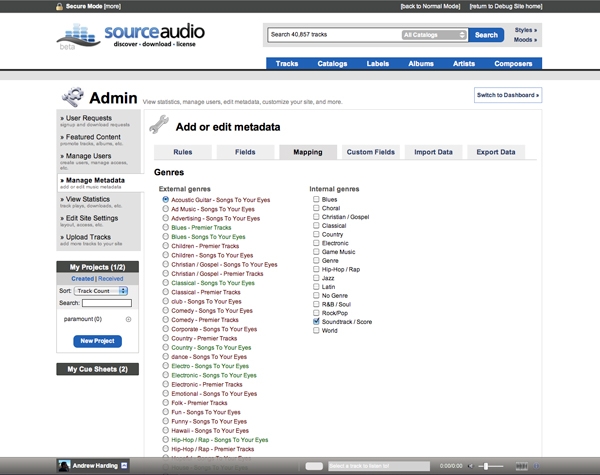
Map genres from other sites to the genres on your own site
This won’t apply to everyone, but for our aggregator partners this is a great new tool. As you aggregators know, the genres on your music’s source site might not always match up with the genres you have on your own site. So, we created a tool that allows you to map the source genres to your own genre. For example, if the source site has the genre “Rock/Pop” in their metadata but you have just “Rock” on your site, you can now point all “Rock/Pop” genres to “Rock” on your own site and all of the music will fall nicely into your own genre. Just go to Manage Metadata > Mapping to make these updates.
New “Featured” track, album, artist, and label display
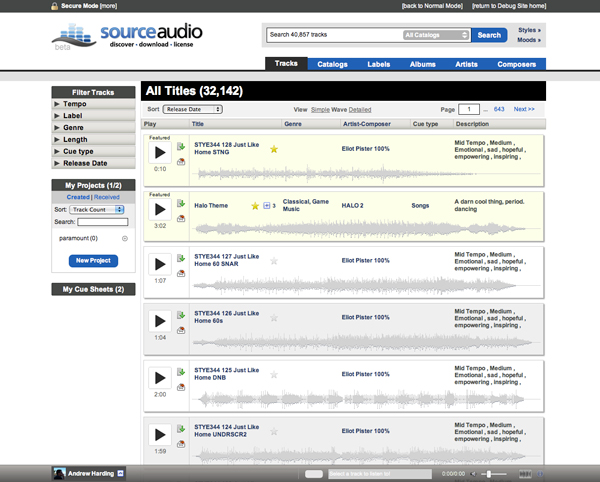
Featured items are now visually differentiated from the rest of the items on the page
Up until now you’ve had the ability to feature items on the site but those featured items weren’t necessarily apparent to the user. So, we’ve responded to a ton of requests and you will now notice that all featured tracks, albums, labels, artists, and composers will have a slight background color change to visually distinguish it from other items on the page. Featured tracks in the wave view will also say “Featured” as part of this update. One thing to note here – we understand the gold medal wasn’t the best icon to use for featuring so we changed the featuring icon to a star. Click the star to feature and un-feature from here forward. That’s it for now. As always, much more to come soon!

How Music For Sport runs a 180-album catalog across territories
Music For Sport has supplied music to every Summer and Winter Olympic Games since 1992. More than three decades and 180-plus albums later, the UK company's job hasn't changed: put high-quality production music in front of broadcas...[ READ MORE ]

YouTube Shorts monetization is now live. Here's what else is new in June.
June was a build-heavy month across our licensing, YouTube, and Collect businesses. We launched a major upgrade to our music-monitoring service, invested in faster and more accurate royalty processing, moved several enterprise integrations...[ READ MORE ]
The operational side of maximizing catalog revenue
One of the clearest indicators of long-term catalog health is whether there’s a real system of record behind it. By that we mean: a single place where the rest of the business can quickly confirm what a work is, who owns it, what iden...[ READ MORE ]
May at a Glance: A Product Update, the Brief Inbox, and a New AI Podcast
The Brief Inbox didn't slow down in May, and neither did we. Column customization shipped, and Drew made an appearance on Morning Brew's new AI podcast to talk music and AI. Drew on The Intelligence Shift Drew Silverstein, our Presid...[ READ MORE ]

Why Brands Are Moving Toward Aggregator-Driven Music Licensing
The way music gets licensed for advertising is changing at the infrastructure level. More brands and agencies are moving toward aggregator-driven ecosystems, where platforms like SourceAudio plug directly into proprietary music discover...[ READ MORE ]
April Recap: Luminate Summit, Blog Post, and What's Coming Through the Brief Inbox
Andrew Talks AI Training Data at Luminate Summit On April 15, SourceAudio CEO and co-founder Andrew Harding joined Doug Shapiro, Dave Davis, Dustin Blank, and Matthew Adell on "The AI Training Data Economy" panel at the Luminate Dat...[ READ MORE ]
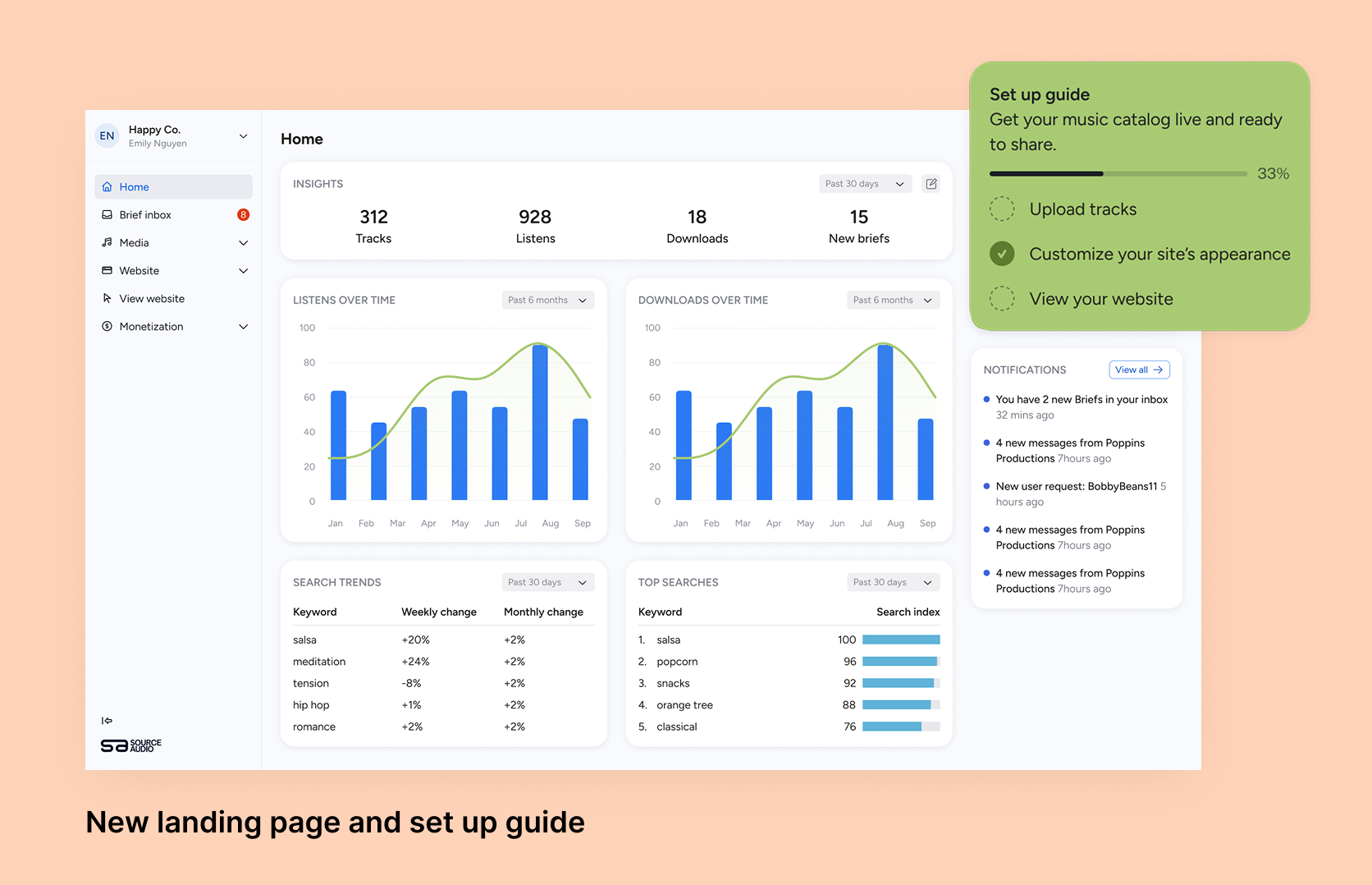
Fixing Foundations: How I restructured SourceAudio to be more intuitive for admins, new and old
For over a decade, SourceAudio has been adding features, expanding its reach, and growing alongside the music licensing industry. While our toolset has proven valuable to our client base, it’s important to acknowledge weaknesses that hav...[ READ MORE ]