
Just Launched » Instant Metadata Embedding on Download
Updated March 1, 2012
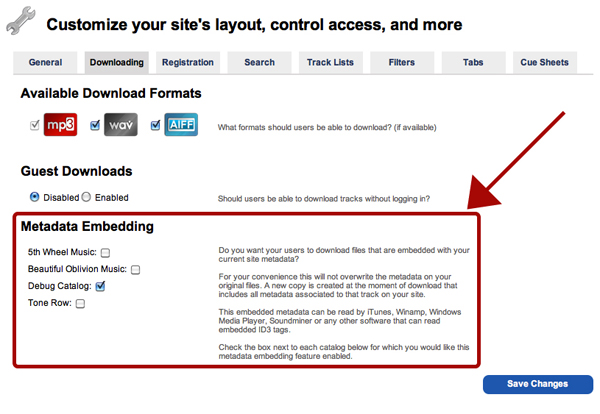
Enable or disable metadata embedding catalog by catalog on your site
It’s live! Here’s how it works:
In the past you dedicated time specifically to updating and embedding your metadata into your files, through iTunes or Soundminer, before you sent everything to your clients so they had the latest and greatest versions of your music files. Those days of spending time focused specifically on embedding metadata are over, and the days of uploading replacement files to your site or sending out drives with updated files or new releases are over as well. These tasks can literally be skipped all together. All you need to do is manage your metadata on your SourceAudio site and when a file is downloaded, we instantly embed the current metadata for that track into the file. It’s that easy. Every time a file is downloaded you can be sure that the latest, most accurate metadata you added to the site will be included in that file.
Here’s another cool benefit to this feature: we don’t touch or edit the original file. We create a new version of the file at the point of download, embed the metadata instantly, and send it along to the user who downloaded it. It’s instant and doesn’t slow down the download process at all. All you have to do to be sure you’ve got your most up to date metadata in all of your files is simply keep your metadata on your SourceAudio site up to date and the rest is handled.
Here’s how you control your metadata embedding settings:
In your Admin Panel go to Edit Site Settings > Downloading. At the bottom of the page you’ll see a new section (highlighted above in this post) called “Metadata Embedding”. You can enable or disable this feature catalog by catalog.
To test out this new feature, simply login with your Admin account and go to any track detail page. Next to each of the file format download icons you’ll see 3 new text links:
- “Download sample metadata embedded file” – This will show you what the new, SourceAudio embedded version of that file looks like. Play it in iTunes or wherever else you listen to your tracks and you’ll see that all of the metadata, including album art, is right there.
- “Download non-metadata embedded file” – This is your original file. SourceAudio hasn’t embedded anything into it. That one never gets touched.
- “Manage your metadata embedding settings” – This is a quick link to your Admin Panel so you can update your new metadata embedding settings catalog by catalog. All 3 of these text links are only viewable by Admins.
A question you might ask: “What fields get embedded into the files?”
For all formats (MP3, AIFF & WAV…yes, all of them!), we’re using ID3 tags which support the following fields:
- Title
- Artist
- Album
- Composer
- Year (released)
- Genre
- Description
- Track Number
- Publisher
- BPM
- Album Art
- Grouping (this is where your licensing/site contact info gets embedded)
So there it is! Metadata embedding is live!

February Updates: Symphonic Partnership, Best Audio Brands & Product News
SourceAudio x Symphonic We're excited to announce a new partnership with Symphonic Distribution. Symphonic artists and labels can now opt into SourceAudio's AI music dataset licensing marketplace, opening up a new revenue stream ...[ READ MORE ]
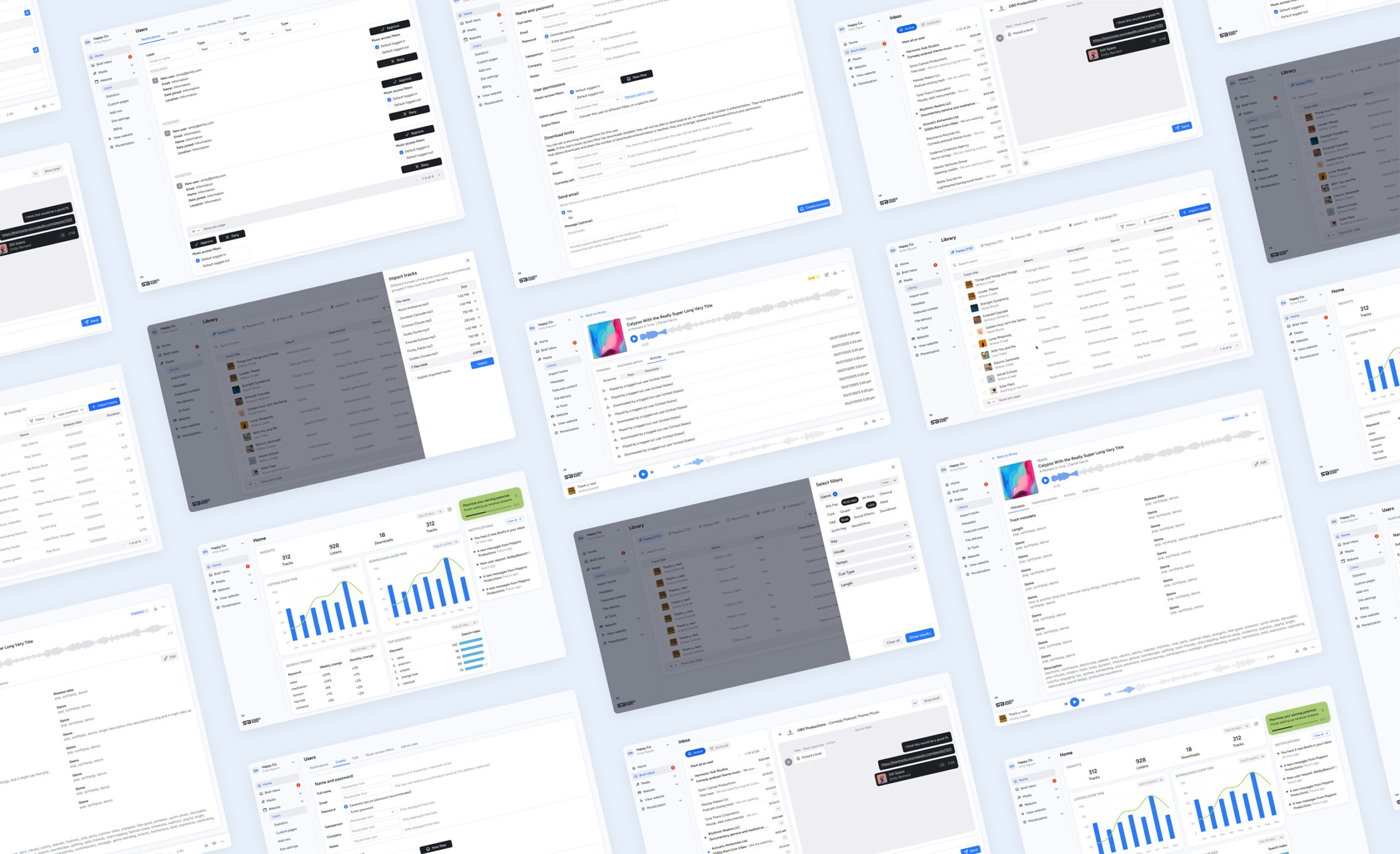


The Brief Inbox is officially live in your SourceAudio workspace!
It’s a new, shared workflow designed to make briefing, pitching, and licensing clearer on both sides of the process. Networks and production teams can request music more efficiently, and catalogs can respond with focused, relevant pit...[ READ MORE ]


Your SourceAudio June Recap: Ethical AI, Real Revenue & What’s Coming Next
It’s been a huge month. Here's a quick look at how we're pushing the industry forward. Ethically, strategically, and always with creators at the core. New: AI Dataset Licensing Marketplace We launched the first scalable, fully clea...[ READ MORE ]