
Metadata Best Practices and Powerful Tips
Updated April 25, 2023
Metadata Overview
Thorough, accurate metadata is a must-have for every music library. Metadata powers searches and filters, it’s embedded into tracks when they’re downloaded, and it creates on-site listings for albums, artists, and much more. Metadata can be edited with CSV export/imports, changed directly on your site, or by using the conditional (if X, then Y) Rules tool.
Easily Manage the Visibility of Your Tracks With the “Private” and “Release Date” Metadata Fields
Our Music Access Filters tool is certainly the most versatile tool for controlling track visibility, but these two metadata fields can be the perfect tools for quickly and easily setting a launch date in the future or keeping a track hidden from all non-admins indefinitely. Read all the details about the “Private” and “Release Date” metadata fields here.
Nest Alternate Versions and Stems Under Their Respective Main Version and Set Their Order
Streamline your tracklists by utilizing our nesting functionality so that alternate versions and stems can be expanded from under their main version in a single click. Always know where stems and cut-downs are instead of having to go look for them, and control what order they appear in with our Nesting Sort Position field. Read all the details about nesting tracks here.
Utilize Our Interested Parties Fields for Writers and Publishers and List PRO Work Numbers on Each Track
Our interested parties tools are absolutely essential for proper documentation of your writer and publisher information. You can also add columns to your metadata CSV to list your tracks’ work ID number(s). Add as many PRO work numbers as needed in case a track is registered with multiple PROs for writer splits between different PROs. Read all the details about interested parties here.
Customize Your Site’s Metadata Fields to Suit Your Library With Terminology Settings and Custom Fields
We know that every library it its own brand with its own unique needs. Create as many custom fields as you’d like, and change the name of many SourceAudio standard fields by using the Terminology section in your admin panel » Edit Site Settings » Appearance »Terminology. Read all the details about custom fields here.
Adjust Your Track List Columns to Display Your Most Important Metadata
We’ve made it easy to adjust what data appears on track line listings (for both main versions and alternates respectively.) For instance, include your Album metadata as a track list column so that your tracks’ album metadata appears on each tracks’ line listing, and users can click the displayed album metadata to view the full album. Read the details about track list column adjustments here.
Customize Metadata Embedded in Track Downloads With Metadata Embedding Profiles
Metadata embedding has never been as intuitive and customizable as it is with our Metadata Embedding Profiles. With these tools, you can link embedding settings to your Music Access Fitlers and tailor metadata embedding specifications for each of your users. Reliably embed all the information your users need into every track download, or turn Metadata Injection off at any time to download the track exactly as it was uploaded. Read all the details about metadata embedding here.
Leverage these tips to ensure optimum discoverability for your tracks!

How Music For Sport runs a 180-album catalog across territories
Music For Sport has supplied music to every Summer and Winter Olympic Games since 1992. More than three decades and 180-plus albums later, the UK company's job hasn't changed: put high-quality production music in front of broadcas...[ READ MORE ]
YouTube Shorts monetization is now live. Here's what else is new in June.
June was a build-heavy month across our licensing, YouTube, and Collect businesses. We launched a major upgrade to our music-monitoring service, invested in faster and more accurate royalty processing, moved several enterprise integrations...[ READ MORE ]
The operational side of maximizing catalog revenue
One of the clearest indicators of long-term catalog health is whether there’s a real system of record behind it. By that we mean: a single place where the rest of the business can quickly confirm what a work is, who owns it, what iden...[ READ MORE ]
May at a Glance: A Product Update, the Brief Inbox, and a New AI Podcast
The Brief Inbox didn't slow down in May, and neither did we. Column customization shipped, and Drew made an appearance on Morning Brew's new AI podcast to talk music and AI. Drew on The Intelligence Shift Drew Silverstein, our Presid...[ READ MORE ]

Why Brands Are Moving Toward Aggregator-Driven Music Licensing
The way music gets licensed for advertising is changing at the infrastructure level. More brands and agencies are moving toward aggregator-driven ecosystems, where platforms like SourceAudio plug directly into proprietary music discover...[ READ MORE ]
April Recap: Luminate Summit, Blog Post, and What's Coming Through the Brief Inbox
Andrew Talks AI Training Data at Luminate Summit On April 15, SourceAudio CEO and co-founder Andrew Harding joined Doug Shapiro, Dave Davis, Dustin Blank, and Matthew Adell on "The AI Training Data Economy" panel at the Luminate Dat...[ READ MORE ]
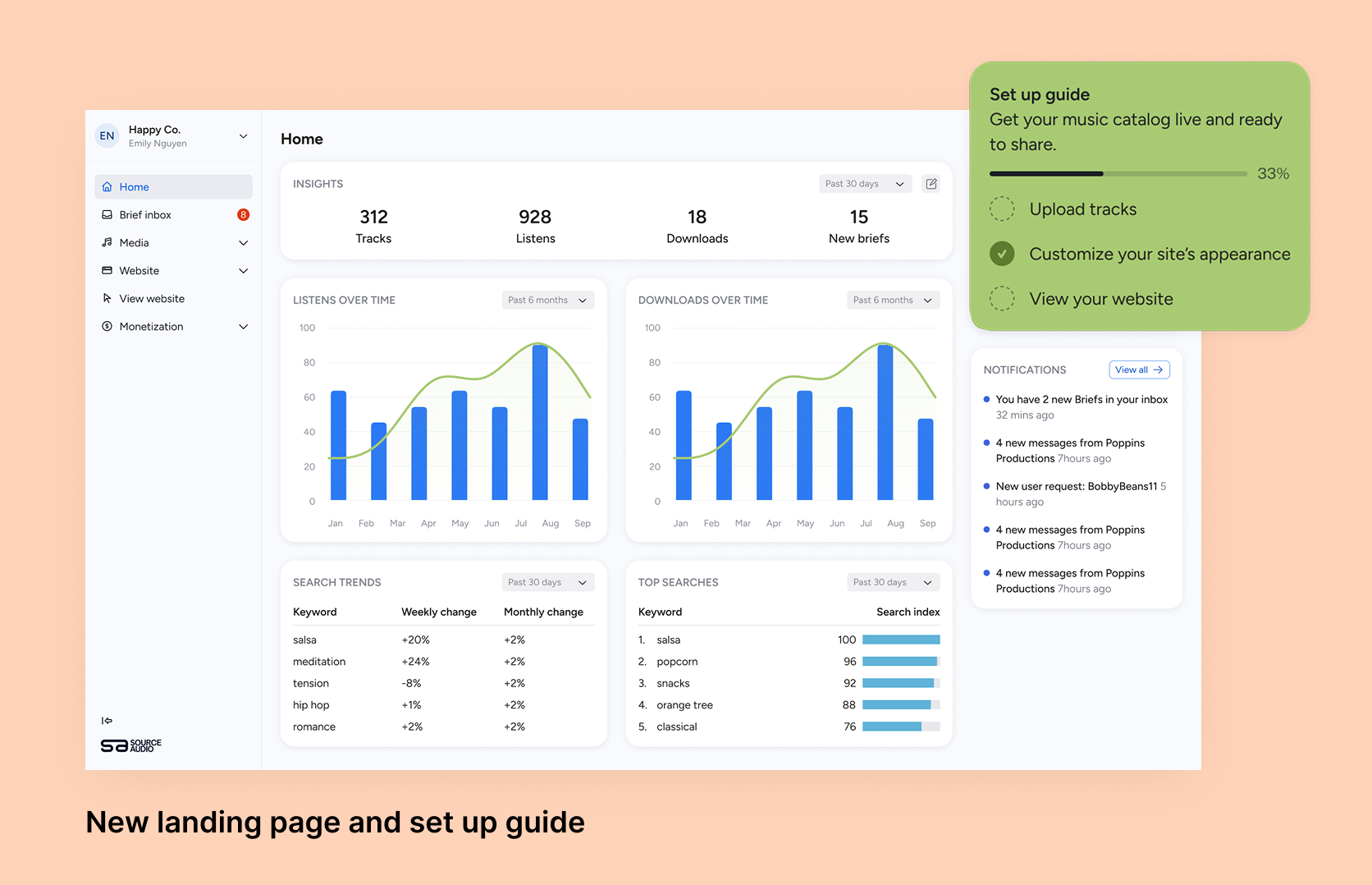
Fixing Foundations: How I restructured SourceAudio to be more intuitive for admins, new and old
For over a decade, SourceAudio has been adding features, expanding its reach, and growing alongside the music licensing industry. While our toolset has proven valuable to our client base, it’s important to acknowledge weaknesses that hav...[ READ MORE ]